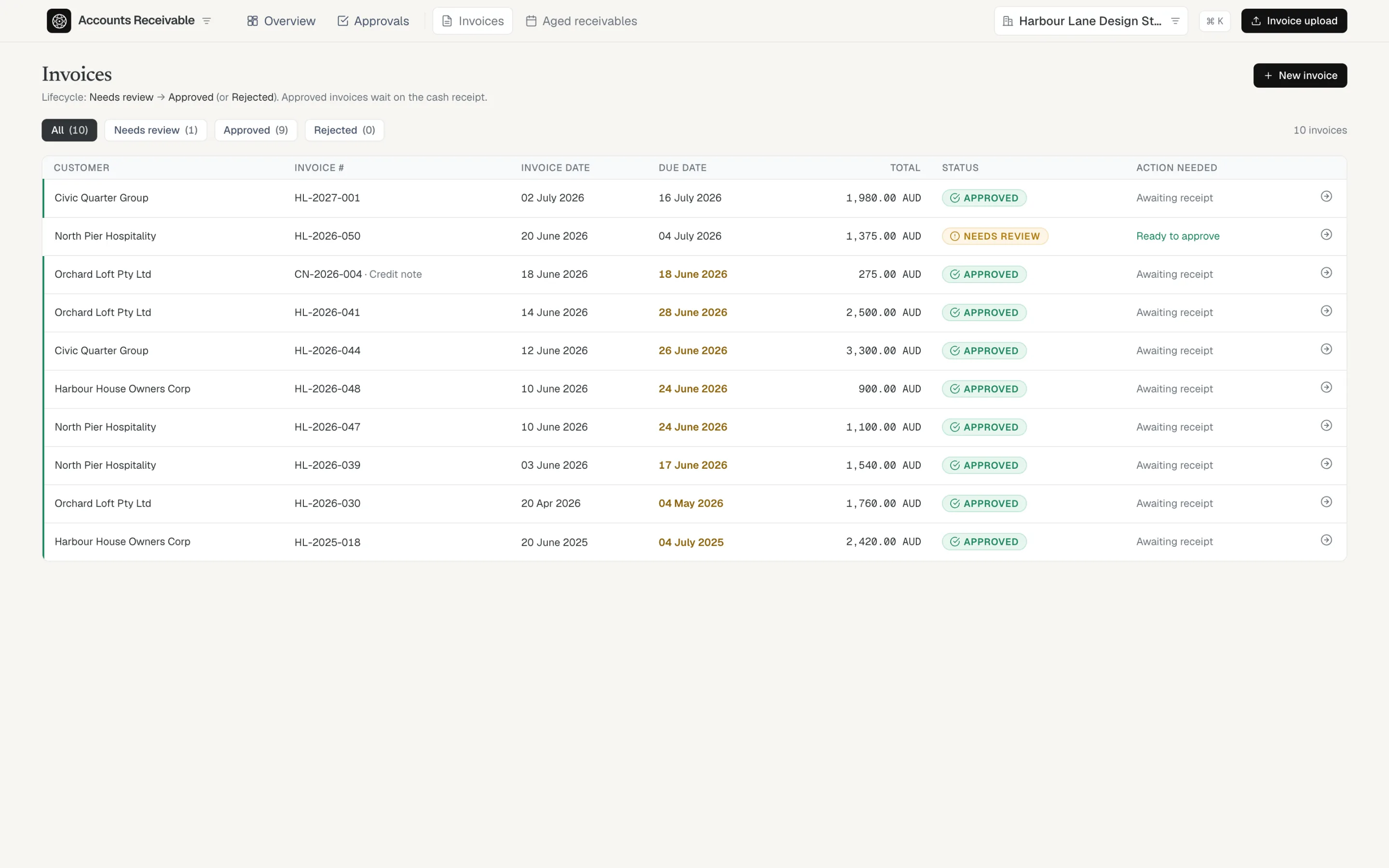
Drop in a supplier PDF and it comes back as a draft entry with the source document attached. Customer invoices get the same review. You check what the AI did, fix the exceptions, and approve.
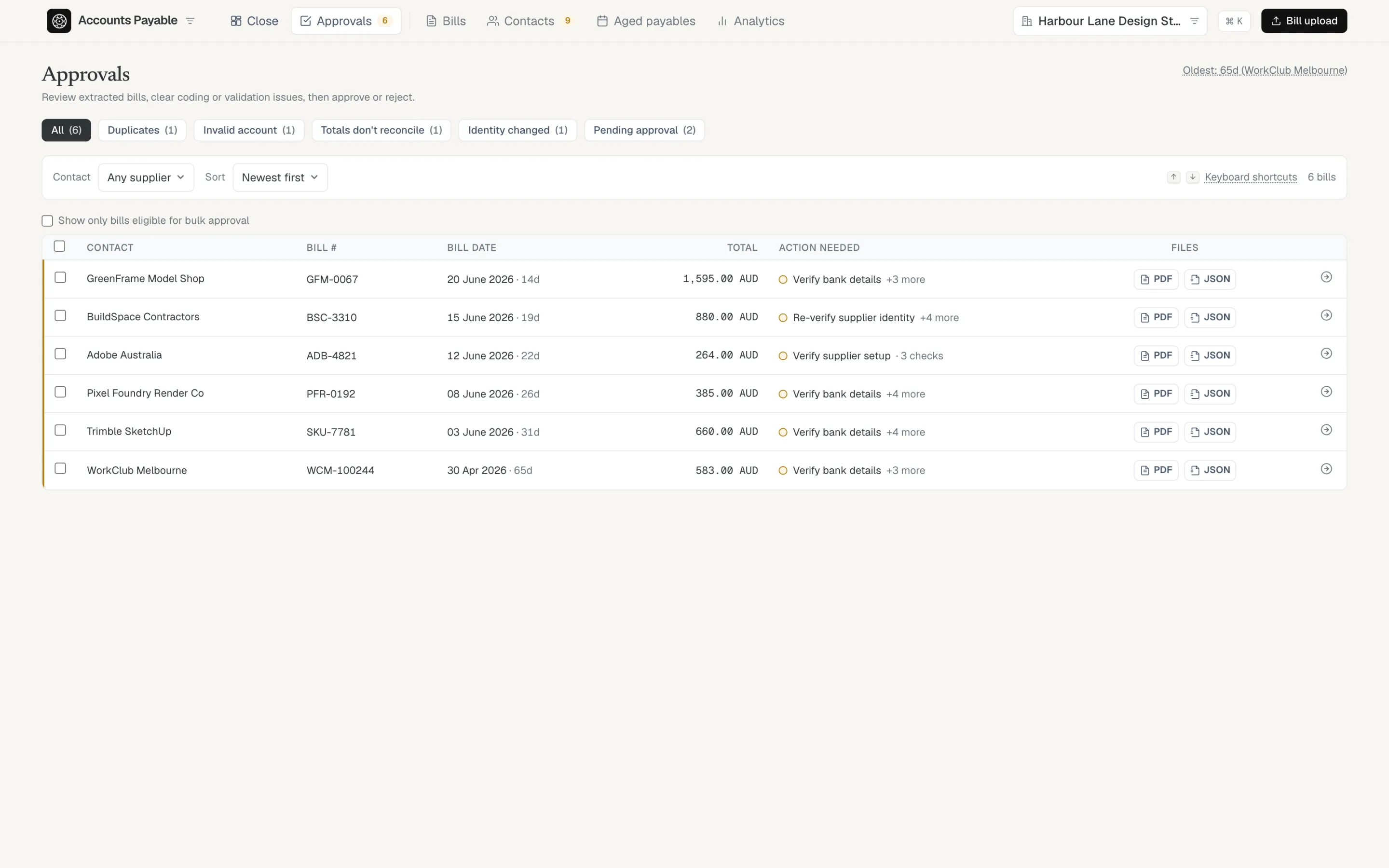
The review queue names the one thing each bill needs. Clear it from the keyboard — J/K to move, A to approve.
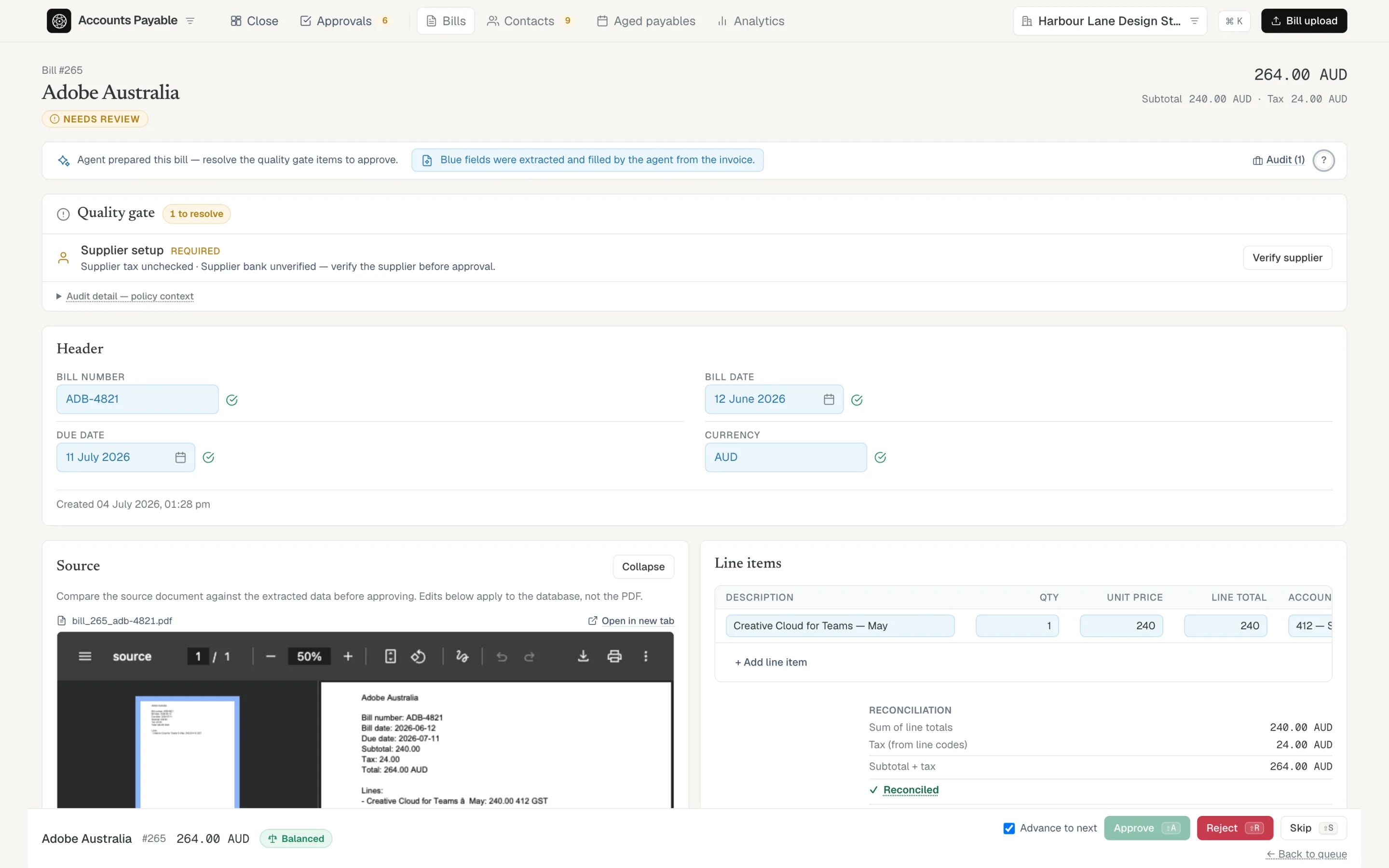
Every field the AI filled is pale blue, with the source document open beside it. Check a value against the invoice and tick it verified, or just edit it — either way the blue clears and the audit trail records who confirmed what, and when.
Everything is settled at approval. Once a bill is approved it’s fully export-ready; there’s no second cleanup pass hiding behind month-end.

Customer invoices follow the same path as bills: review, then approval, with credit notes handled the same way. Receipts are matched when the money lands in the bank, so an invoice is never “paid” by assumption.
The words change — customers, invoices, receipts — but the discipline doesn’t.

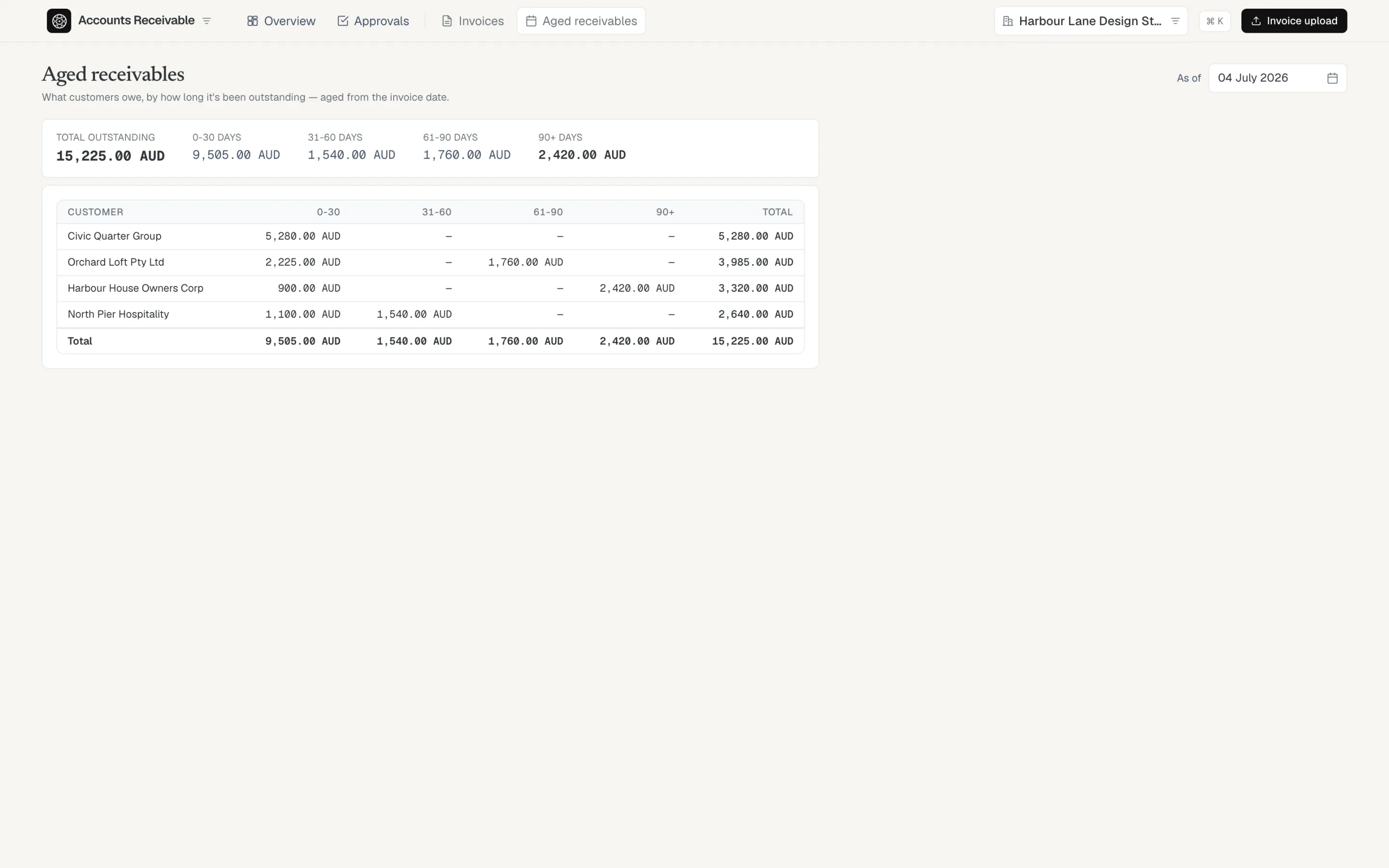
Aged receivables and aged payables come straight from the documents you approved — no export, no spreadsheet. Every bucket drills back to the invoices inside it.

Every issue the checks find blocks approval until it’s fixed — or explicitly acknowledged with your name on it. Nothing is waved through.
A second copy of an already-recorded bill is caught before you pay it twice, with the original beside it for comparison.
Line totals must add up to the bill total. A small rounding difference needs a typed reason; a real mismatch has to be fixed.
If an invoice arrives with a different ABN or bank account than the verified supplier record, approval stops until you adopt the change or reject the bill.
The AI never invents an account code. An uncertain line comes back blank and you assign it right there in review — or add the missing account without leaving the bill.
Rent, software, the bills you could set your watch by — set the pattern once and each month’s draft arrives in review on its own, waiting for the same approval as everything else. Nothing posts on a schedule without you.
A credit note nets against its bill everywhere the amount appears — aged payables, the supplier’s ledger, the statement reconciliation — and a supplier refund is matched to the bank line when the money lands.
Pick the approved bills to pay and Acclines builds the bank-ready payment file (ABA) with a remittance for each supplier. You upload the file to your bank — Acclines never moves money — and a supplier joins a run only after you’ve verified their bank details.
Drop in the statement a supplier sends and every line is checked against your ledger. Bills you approved match; a line with no bill behind it is named — the exact document to chase, not a mystery balance.
The difference is worked out to the cent, and the close checklist carries the statement until it ties out — so a supplier surprise never waits for month-end to surface.
Match payments and receipts to the documents you approved.
Explore bank →Trial balance, P&L, balance sheet, cash flow, BAS — and a close that locks.
Explore financials →The Export Pack builds itself while the client works.
For accountants →We are opening Acclines to a small group of businesses and practices who want AI speed without giving up control of the ledger.
Request early access